

- WordPress
What Is an XML File? A Plain English Guide for WordPress Users
By Ehasanul Haque
Posted on October 1, 2026
You hit Tools > Export in WordPress and got a file ending in .xml.
Or your SEO plugin keeps mentioning an XML sitemap, and you nodded along without knowing what it meant.
XML sounds like something only developers touch. It isn’t. You don’t need to be a tech wizard to understand it.
In this post you’ll learn what is an XML file, how one gets made, what it’s for, and the four jobs it does inside WordPress.
Let’s take a look.
What Is an XML File?
An XML file is a plain text file that wraps every piece of information in a named tag, so software knows what each value means.
XML stands for Extensible Markup Language. If you have ever glanced at HTML, it will look familiar straight away.
Here is a tiny one:
<post>
  <title>My First Post</title>
  <author>Ehasanul</author>
  <status>publish</status>
</post>
Every value sits between an opening tag and a closing tag.
That’s it. That’s the whole idea.
The tags are the point. A program reading that file doesn’t have to guess which bit is the title, because the file says so.
How Is an XML File Made?
Almost always by software, not by hand.
When you click Export in WordPress, WordPress walks through your posts, pages, and comments and writes them out with a tag around every field. You get a download a few seconds later.
Your SEO plugin does the same thing for your sitemap, rebuilding it every time you publish.
Can you write one yourself? Yes, in any text editor, as long as you close every tag you open.
That is the one rule that matters. Forget a closing tag and the whole file is invalid, because XML is much stricter than HTML about it.
What Is an XML File For?
XML exists so that structured information can move between systems that were never designed to talk to each other.
It arrived long before JSON and solved the same problem: how do you send data and have it arrive meaning the same thing?
The tags make the file self describing. Open one in a text editor and you can usually work out what it holds.
That readability comes at a cost. All those opening and closing tags make XML files much bigger than the same data in JSON.
Which is exactly why newer tools reach for JSON instead. XML is still everywhere though, because so much of the web was built on it.
How WordPress Uses XML Files
Four jobs, and you’ve almost certainly used two of them already. No coding needed for any of them.
1. The WordPress export file (WXR)
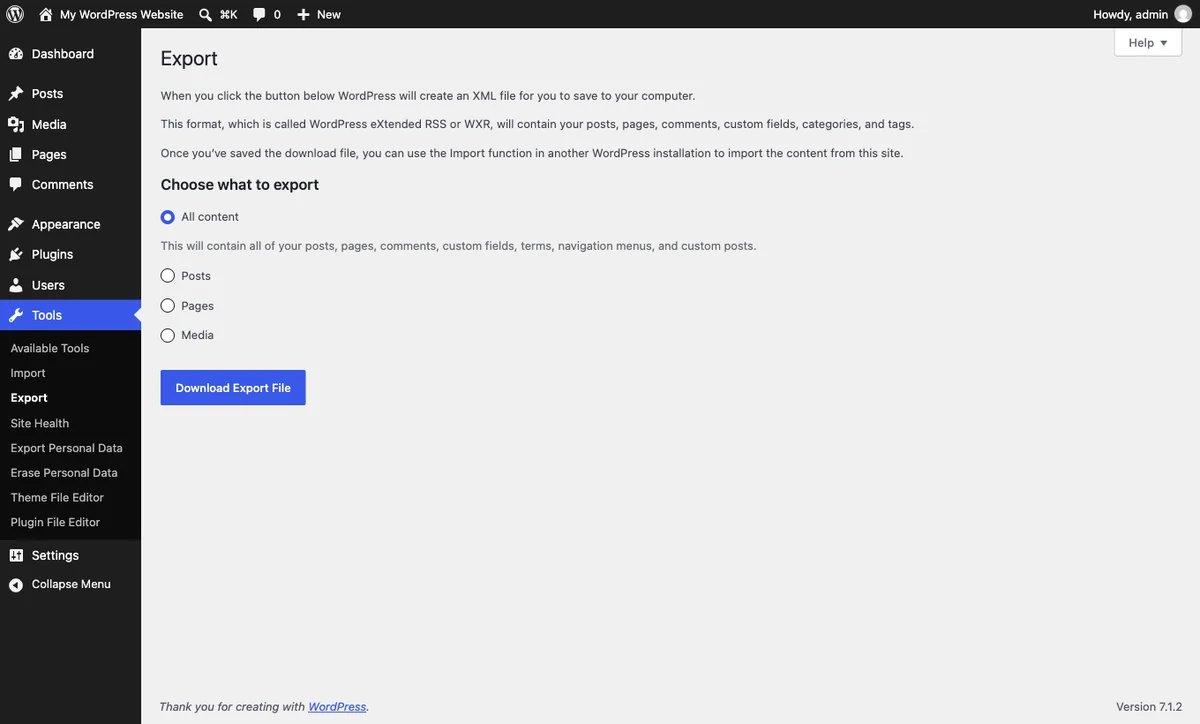
Go to Tools > Export and WordPress hands you an XML file holding your posts, pages, categories, tags, and comments.
It has its own name: WXR, short for WordPress eXtended RSS. The file ends in .xml all the same.
This is how you move content between two WordPress sites. Export from one, import into the other under Tools > Import.
One thing to know: a WXR file is not a backup. It holds your content, not your theme, plugins, settings, or media files. For the real thing, read how to back up your WordPress site.
2. Your sitemap
Every WordPress site has an XML sitemap listing its pages for search engines. WordPress has built one into core since version 5.5, at /wp-sitemap.xml.
Rank Math and Yoast each replace it with their own. We cover the whole thing in our guide to sitemap.xml in WordPress.
3. Your RSS feed
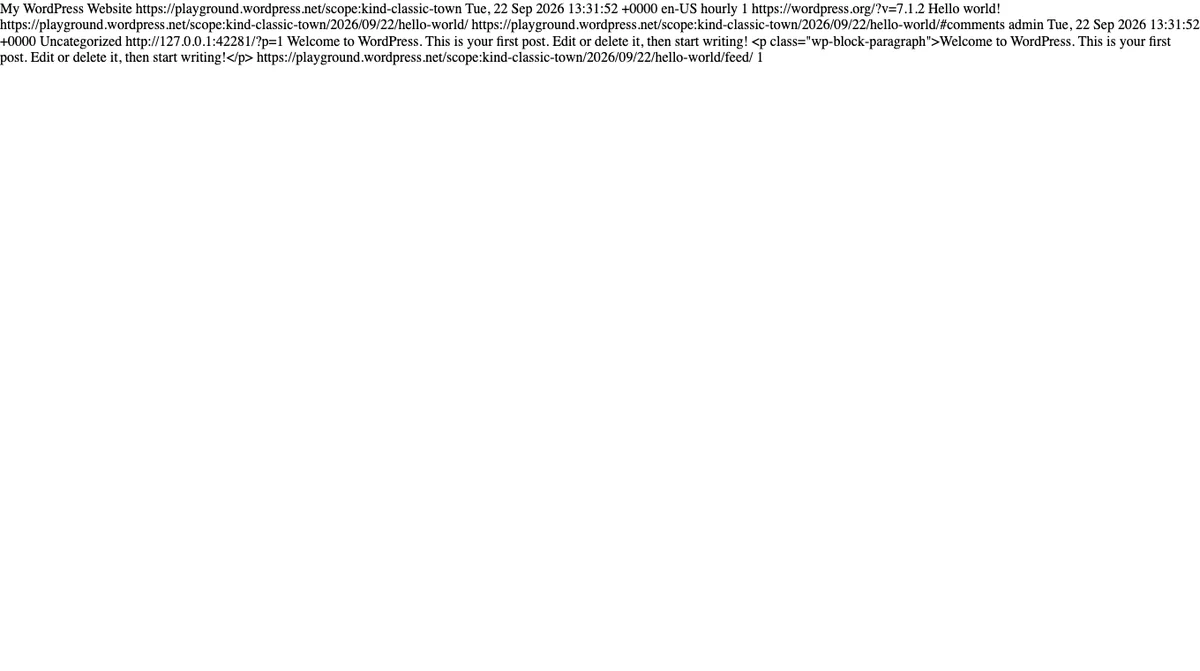
Add /feed/ to the end of any WordPress site’s address and you’ll get XML.
That’s your RSS feed, and it’s how newsreaders, email services, and podcast apps pull in new posts automatically.
4. Plugin and theme data
Plenty of plugins use XML for demo content. Starter template importers ship their sample sites this way.
Why Can’t You Upload an XML File to WordPress?
Because core doesn’t allow it, and that’s deliberate.
XML is not on WordPress’s list of permitted upload types (checked September 2026 in wp_get_mime_types()). Try to drop one in the Media Library and you’ll get “Sorry, you are not allowed to upload this file type.”
So how do you get your export file in? Through Tools > Import, not the Media Library.
That’s the same rule as JSON. The importer that understands the file is the one that should receive it.
What Goes Wrong With XML Files
Four problems, and none of them will break your site.
The file is too big to import. A WXR export from a busy site can run to many megabytes and hit your upload limit. The WordPress importer lets you split the job, or you can raise the limit with your host.
Images didn’t come across. The importer has a “Download and import file attachments” tick box. Miss it and images break.
An unclosed tag. If an export was interrupted, the last tag never closed and the whole file is invalid. Export again rather than trying to repair it.
Nothing imported at all. Usually the Importer plugin was never installed. WordPress prompts you the first time you visit Tools > Import.
Wrapping It Up
So, what is an XML file? A text file where every value is wrapped in a tag that names it.
In WordPress it does four jobs: your content export, your sitemap, your RSS feed, and demo content for themes.
The one thing worth remembering is that your .xml export is your content, not your site. Treat it as a way to move posts, never as your backup.
For the wider view, our guide to WordPress file types covers every file you’ll meet, and what is a JSON file covers the format that largely replaced XML.
Over to you: are you exporting a site, or chasing a sitemap problem? Let me know in the comments.
Frequently Asked Questions
How do I open an XML file?
Any text editor will open it, including Notepad and TextEdit. Web browsers display XML too, usually with a collapsible tree view that is easier to read.
What is an XML file in WordPress used for?
Mainly for your content export, your sitemap, and your RSS feed. The export file carries posts, pages, categories, tags, and comments between sites.
Is a WordPress XML export a full backup?
No. It holds your content only, with no theme, plugins, settings, or uploaded media. A real backup needs your files and database as well.
Why won’t WordPress let me upload an XML file?
XML is not on core’s list of allowed upload types, so the Media Library rejects it. Use Tools then Import instead.
What is the difference between an XML file and a JSON file?
Both store structured data, but XML wraps every value in opening and closing tags while JSON uses labels and values. JSON files are smaller and easier to read.
How do I import an XML file into WordPress?
Go to Tools, then Import, install the WordPress importer if prompted, upload your file, and tick the box to download attachments.
Do I need an XML sitemap if I have a small site?
Yes, and you almost certainly have one already. WordPress builds one automatically, and it helps search engines find pages that are not linked from many places.
You May Also Like
-

What Is Web Hosting
Want a website but have no idea where it actually… -
WordPress File Types Explained
Your WordPress site is made of files. Dozens of them,… -
What Is a JSON File?
You clicked a download button, and out came a file…