
- Domain
Domain Management for Advanced Users: DNS, Email, Transfers and Security
By Ehasanul Haque
Posted on October 9, 2026
Bought your domain, pointed it at your host, and never looked back?
That’s how most people do it. And for a while, it works.
Then one day your emails start landing in spam. Or a transfer gets stuck. Or a renewal notice goes to an inbox nobody checks anymore.
Good domain management prevents all of that. Bad domain management turns a $15 domain into a very expensive weekend.
Don’t worry, none of this needs a computer science degree. It’s mostly a few settings you check once and then leave alone.
In this guide, I’m going to walk you through the advanced side of domains: DNS records, email authentication, transfers, expiry rules, security, and moving a site to a new domain without losing your search rankings.
New to domains? Start with our beginner guide to what a domain name is, then come back here.
Let’s get into it.
Key Takeaways
- Your registrar, your DNS host and your web host can be three different companies. Knowing which one controls what saves hours of confusion.
- Email authentication is no longer optional: Gmail requires SPF or DKIM from every sender, and DMARC from bulk senders.
- Transfers and expiry follow ICANN rules: 60-day locks, 30-day redemption, and dates you can plan around.
- Most domain disasters are account problems, not DNS problems. Two-factor login and a registrar lock stop most of them.
What Is Domain Management?
Domain management is everything you do to keep a domain working, secure and renewed after you buy it: DNS records, email settings, renewals, transfers and account security.
Buying the domain takes ten minutes. Managing it lasts as long as you own it.
Most of the time, it’s invisible. You’ll only notice domain management when something breaks.
The goal of this guide is simple: make sure nothing breaks.
Who Controls What in Domain Management: Registrar, DNS Host or Web Host?
Your registrar holds the registration, your DNS host answers lookups for your domain, and your web host stores your website’s files.
Those can all be the same company. They don’t have to be.
Here’s how they connect:
- The registrar decides which nameservers your domain uses. That’s the only DNS setting it truly controls.
- The nameservers belong to your DNS host. Whoever runs them holds your actual DNS records.
- The DNS records point your domain at your web host, your email provider and any other service.
This is why beginners get stuck. They edit DNS records at the registrar, but the nameservers point somewhere else, so nothing changes.
The fix is easy. Check your nameservers first. Wherever they point is where your DNS records live.
Splitting them can be smart. Plenty of site owners keep the domain at one registrar and run DNS on a faster, free DNS service. Just know one exception: Cloudflare Registrar requires Cloudflare’s own nameservers, so on that registrar, the two are always together.
Which DNS Records Do You Actually Need?
Most websites only need five types of DNS records: A, CNAME, MX, TXT and NS. The rest are for special cases.
Here’s what each one does:
| Record | What it does | Typical use |
|---|---|---|
| A | Points a name to an IPv4 address | yourdomain.com to your web host |
| AAAA | Points a name to an IPv6 address | Same, on hosts that support IPv6 |
| CNAME | Points a name to another name | www to yourdomain.com, or to a service |
| MX | Says which servers receive your email | Google Workspace, Microsoft 365 |
| TXT | Holds text other services read | SPF, DKIM, DMARC, site verification |
| NS | Lists your domain’s nameservers | Set at the registrar |
| CAA | Says which companies may issue SSL certificates | Extra protection against rogue certificates |
| SRV | Points a service to a server and port | Some calling and chat apps |
You don’t need to memorise this. Bookmark it, and come back when a service asks you to add a record.
Why Can’t You Use a CNAME on Your Root Domain?
DNS rules don’t allow a CNAME record to sit alongside other records, and your root domain always has other records (NS and SOA). So the bare yourdomain.com must use an A record.
That’s why hosts tell you to point the root with an A record and the www version with a CNAME.
Some DNS providers offer a workaround called CNAME flattening or an ALIAS record. It behaves like a CNAME at the root, while the provider serves an A record behind the scenes.
Handy if your host gives you a hostname instead of an IP address.
What Is TTL, and Why Does “Propagation” Take So Long?
TTL (time to live) is how many seconds other servers may cache your DNS record before checking for a new value.
“Propagation” isn’t really a thing. Your change is live instantly. Other servers just keep using the old answer until their cached copy expires.
So plan ahead. Lower the TTL on the records you’re about to change to 300 seconds (five minutes) a day or two before a migration.
Make the switch. Once everything works, raise the TTL again.
That’s it. Your next move becomes a five-minute job instead of a two-day wait.
How Do You Set Up SPF, DKIM and DMARC?
SPF, DKIM and DMARC are three TXT records that prove your emails really come from your domain, so inboxes trust them.
This one matters more than ever.
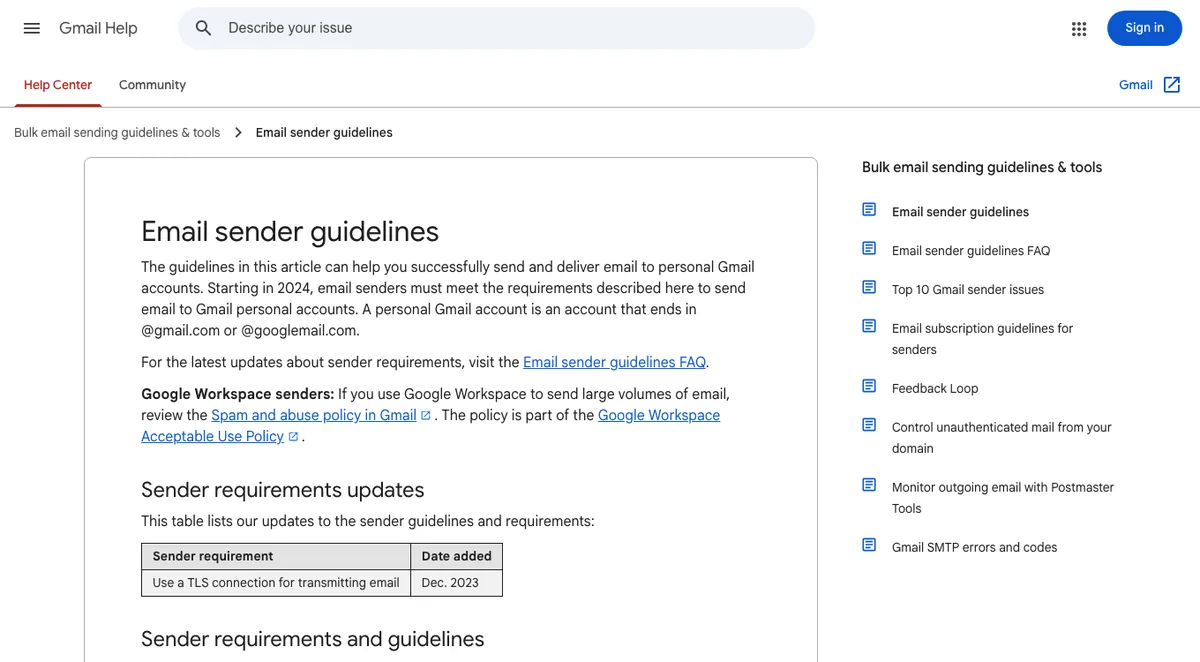
According to Google’s email sender guidelines, every sender to Gmail needs SPF or DKIM. If you send 5,000 or more messages a day, you need SPF, DKIM and DMARC, and your From address must align with one of them (Google, October 2026).
Here’s what each one does:
- SPF lists the servers allowed to send email for your domain.
- DKIM adds a digital signature to every message, checked against a public key in your DNS.
- DMARC tells inboxes what to do when a message fails SPF or DKIM, and sends you reports.
A simple setup looks like this:
yourdomain.com          TXT  "v=spf1 include:_spf.google.com ~all"
google._domainkey       TXT  "v=DKIM1; k=rsa; p=MIIBIjANBgkq..."
_dmarc.yourdomain.com   TXT  "v=DMARC1; p=none; rua=mailto:dmarc@yourdomain.com"
Your email provider gives you the exact values. You copy them in.
SPF Rules That Trip People Up
- One SPF record per domain. Two SPF records break both. Merge them into one line.
- Stay under 10 lookups. Each include counts, and the SPF standard caps it at 10. Too many services means a failing record.
- Add every sender. Your newsletter tool, your invoicing app and your website all send as you.
Roll Out DMARC Slowly
Start with p=none. That only monitors. Nothing gets blocked.
Read the reports for a few weeks. Once every real sender passes, move to p=quarantine, then p=reject.
Jump straight to reject, and you might block your own invoices.
What About Emails From Your WordPress Site?
WordPress sends contact form messages and password resets from your server by default. Those often fail SPF and DKIM.
The fix is an SMTP plugin that sends through your real email provider. Our contact form plugins roundup explains that setup, because form emails are where most people notice the problem first.
How to Transfer a Domain to Another Registrar
To transfer a domain, unlock it at your current registrar, get the transfer code, and start the transfer at the new registrar, which then charges you for one more year.
Transfers are routine. Here’s the safe order:
- Check the 60-day rules. Under ICANN policy, a registrar may refuse a transfer within 60 days of the first registration or a previous transfer.
- Watch for the change-of-registrant lock. Changing the owner’s name, organisation or email can trigger another 60-day lock. Some registrars let you opt out when you make the change.
- Copy your DNS records first. If the new registrar will also host your DNS, recreate every record there before you switch nameservers.
- Unlock the domain and request the transfer code (also called an auth code or EPP code). If there’s no self-service button, your registrar must provide it within five calendar days.
- Start the transfer at the new registrar and pay. For .com and most generic extensions, the transfer adds one year to your registration.
- Approve the confirmation email and wait. Most transfers finish within about five days.
- Lock the domain again at the new registrar.
Your website doesn’t go down during a transfer, as long as the nameservers and DNS records stay the same.
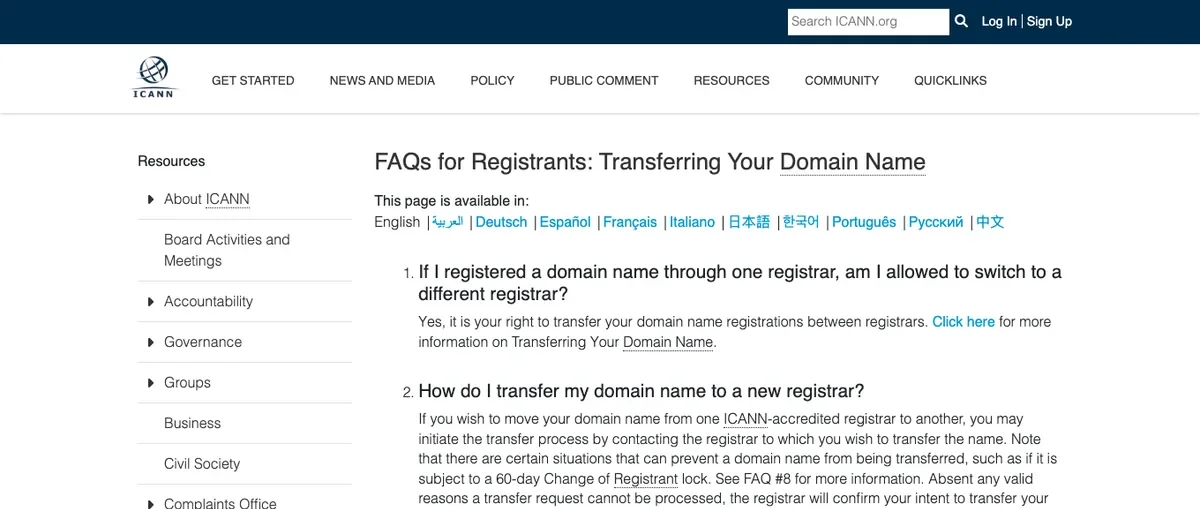
ICANN’s domain transfer FAQ lists your rights as a domain holder. ICANN has been reviewing this policy, so check that page for changes before a big move.
Which registrar should you move to? The domain registrar comparison ranks six by renewal price, privacy and transfer friction.
What Really Happens When a Domain Expires?
When a generic domain like .com expires, you get a short window to renew at the normal price, then a 30-day redemption period at a higher fee, then about five days before it’s released.
Here’s the timeline ICANN’s Expired Registration Recovery Policy sets:
- About one month and one week before expiry: your registrar must send you renewal notices.
- Within five days after expiry: one more notice.
- After expiry: your site and email stop resolving for at least the last eight days you can still renew.
- Redemption Grace Period, 30 days: the domain is deleted but recoverable. You pay the renewal plus a redemption fee.
- Pending delete, about 5 days: nobody can recover it.
- Release: anyone can register it, and drop-catching services often grab good names in seconds.
Country extensions like .uk or .de set their own rules. Some are much shorter. Check yours.
The lesson? Never rely on the grace period. Auto-renew plus a card that won’t expire is the whole strategy.
Domain Management Security: How Do You Stop a Hijack?
Most domain hijacks happen through a compromised registrar account, so securing the account matters more than any DNS setting.
Here’s the checklist:
- Turn on two-factor login at your registrar, with an authenticator app rather than SMS.
- Keep the registrar lock on. It blocks transfers until you remove it yourself.
- Use a recovery email on a different domain. If your only login email lives on the domain you’re protecting, one expiry locks you out of both.
- Turn on DNSSEC if your DNS host supports it. It signs your DNS records so attackers can’t fake the answers.
- Add a CAA record naming the certificate authority you use, such as Let’s Encrypt.
- Consider registry lock for a high-value domain. It’s a paid, manual lock at the registry level, offered by some registrars on business plans.
- Keep the domain in the business’s own account, never a developer’s or a former employee’s.
Not every site needs registry lock. Every site needs the first three.
For the WordPress side of security, our WordPress security checklist for beginners covers logins, plugins and updates.
Domain Management on a Budget: Planning Renewal Costs
Plan renewals around the renewal price, multi-year terms and known wholesale increases, not the promo price.
There’s one date to know right now. On November 1, 2026, Verisign raises the wholesale .com price from $10.26 to $10.97 a year, a 7% rise (Domain Name Wire, April 2026). An ICANN fee of $0.20 sits on top.
Registrars will pass that on. Many bill a multi-year renewal at the price on the day you pay, so renewing for several years before November 1 can lock in the current price. Ask your registrar first.
A few more habits worth keeping:
- Register for several years if you’re sure about the name. The maximum is 10 years.
- Check premium renewals. Some new extensions renew at many times the first-year price.
- Audit spare domains yearly. Drop the ones that only redirect and get no traffic.
For scale, onylogy.com renews at Namecheap for about $15 a year. Across a portfolio of 20 domains, a few dollars per name adds up fast.
Subdomains, Redirects and Domain Forwarding
Subdomains let you run separate sections on one domain, and forwarding sends extra domains to your main site.
Both are free with most registrars and DNS hosts.
Common smart uses:
- staging.yourdomain.com for testing changes before they go live.
- shop. or help. for a store or help centre on a different platform.
- Forward misspellings and other extensions to your main domain with a permanent (301) redirect.
Should you buy every extension of your name? No. Buy the ones you’d actually miss: your main .com, your country extension if you serve one country, and any obvious misspelling.
How to Change Your Domain Without Losing SEO
To move a website to a new domain safely, redirect every old URL to its matching new URL with a 301, then tell Google with Search Console’s Change of Address tool.
Changing domains is the riskiest thing in domain management. Done carefully, though, you keep your rankings.
Here’s the order that works:
- Back up the whole site. Our WordPress backup guide shows the full process.
- Set up the new domain with hosting and SSL working.
- Update WordPress so the site address and every internal link use the new domain.
- Add page-to-page 301 redirects. Every old URL should land on its exact new match, not the homepage.
- Verify both domains in Google Search Console and file the Change of Address request on the old one.
- Update your profiles and links everywhere you control: social media, directories, email signatures.
Then keep the redirects. Google’s site move guide says to keep them “generally at least 1 year” (Google, October 2026).
And keep renewing the old domain. If it expires, every redirect dies with it.
Before you change at all, it’s worth rereading how to choose a domain name you won’t outgrow. The cheapest domain move is the one you never make.
Can You Buy a Domain Someone Else Owns?
Yes. You can buy a registered domain from its owner, usually through a marketplace or an escrow service, or backorder it in case it expires.
Here are your options:
- Make an offer through the owner’s listing or a domain marketplace. Use escrow, never a direct bank transfer to a stranger.
- Backorder it. A backorder service tries to register the name the moment it’s released. It isn’t guaranteed.
- Use the dispute process only if you hold a trademark and the owner is clearly cybersquatting.
That dispute process is ICANN’s Uniform Domain-Name Dispute-Resolution Policy (UDRP). To win, a trademark owner must show three things: the domain matches their mark, the owner has no legitimate interest in it, and it was registered and used in bad faith.
It’s not a shortcut for “I want that name.” It’s for real abuse.
Common Domain Management Mistakes
Here are the mistakes that cause the most damage, and how to avoid each one.
The Issue: Editing DNS in the Wrong Place
Records changed at the registrar do nothing when the nameservers point elsewhere.
The Fix
Check the nameservers first. Edit records only at the DNS host they point to.
The Issue: Two SPF Records
Adding a second SPF record for a new email tool breaks email for every tool.
The Fix
Merge all senders into one SPF line, and stay under 10 lookups.
The Issue: Moving DNS Without Copying Records
Switching nameservers to an empty DNS zone takes down your site and email at once.
The Fix
Recreate every record at the new DNS host first. Then switch.
The Issue: Login Email on the Same Domain
If the domain expires, the email that receives renewal notices and password resets dies too.
The Fix
Use a recovery email on a different domain for every registrar account.
The Issue: Homepage-Only Redirects After a Move
Sending every old URL to the new homepage throws away the rankings each page earned.
The Fix
Redirect page to page, and keep the redirects for at least a year.
Your Domain Management To-Do List
Pick one thing from this guide and do it today:
- Turn on two-factor login and the registrar lock.
- Check your SPF, DKIM and DMARC records with your email provider’s checker.
- Note your domain’s renewal date, and consider renewing before November 1, 2026.
Not sure your registrar is a good fit? Compare the best domain registration websites before your next renewal.
Wrapping It Up
Good domain management isn’t about knowing every DNS record. It’s about a few settings done right.
Know who controls your DNS. Authenticate your email. Lock the account down. Renew early.
Do that, and your domain will keep working quietly in the background for years.
Over to you: which of these were you missing on your own domain? Let me know in the comments.
Frequently Asked Questions
What is domain management?
Domain management is the ongoing work of keeping a domain secure, renewed and correctly configured. It covers DNS records, email authentication, renewals, transfers and registrar account security.
Can my domain and hosting be with different companies?
Yes. Your registrar only needs to point the domain at your DNS host, and your DNS records point to your web host. Many site owners keep them separate on purpose.
Do I need SPF, DKIM and DMARC for a small website?
Yes, if you send any email from your domain. Gmail requires SPF or DKIM from every sender, and adding DMARC with p=none is quick and free.
How long does a domain transfer take?
Most transfers finish within about five days. A transfer can be refused within 60 days of registration or a previous transfer.
Will my website go down during a domain transfer?
No, as long as your nameservers and DNS records stay the same. Copy your records first if your DNS host will change too.
What is DNSSEC, and should I turn it on?
DNSSEC adds digital signatures to your DNS records so attackers can’t fake them. Turn it on if your DNS host supports it, especially for business domains.
How long should I keep redirects after changing my domain?
Google recommends keeping redirects for as long as possible, generally at least one year. Keep renewing the old domain so the redirects keep working.
You May Also Like
-

What Is a Domain Name
Want your own spot on the internet? Then you need… -
Top 6 Domain Registration Websites
Ready to buy your domain name? Here’s the first thing… -
How to Choose a Domain Name
Picking a name for your website? It feels like the…