

- WordPress
What Is a WordPress SQL File? Your Database, Explained Simply
By Ehasanul Haque
Posted on October 1, 2026

Your backup plugin just produced a file ending in .sql, and you have no idea what to do with it.
Or your host said “restore the database” and you froze.
Take a breath. This is easier than it sounds.
A WordPress SQL file is one of the two halves of your entire website, and understanding it takes about five minutes. You don’t need to be a developer.
In this post you’ll learn what a SQL file holds, how one gets made, why it exists, and exactly when you’ll need it.
Let’s get into it.
What Is a WordPress SQL File?
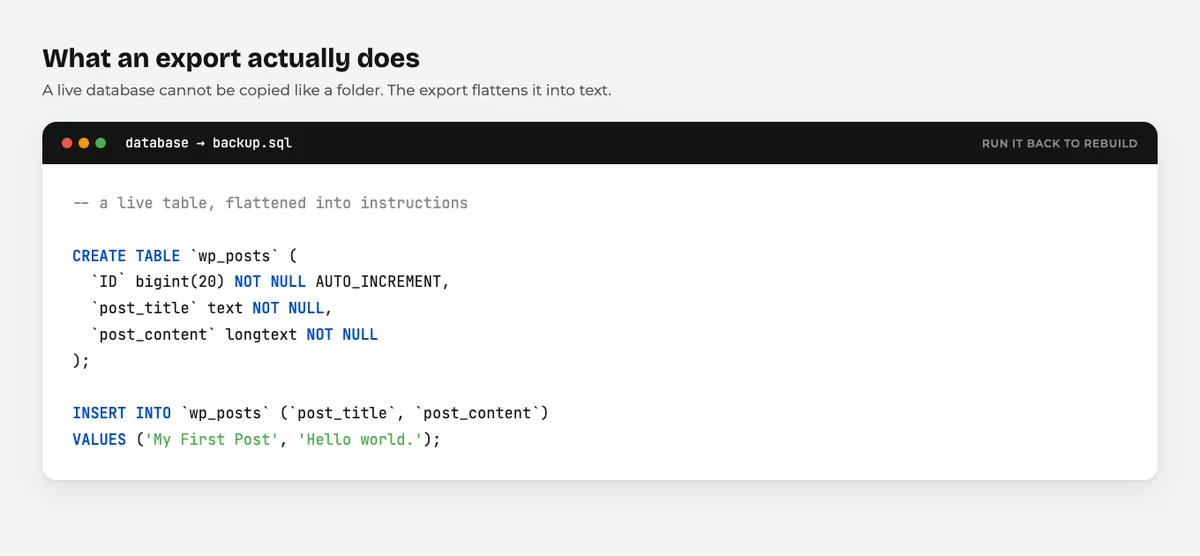
A WordPress SQL file is a text file containing your whole database, written out as a list of instructions that can rebuild it.
Open one and you won’t see a spreadsheet. You’ll see lines like this:
INSERT INTO wp_posts (post_title, post_content)
VALUES ('My First Post', 'Hello world.');
Each line is a command.
Run the file and those commands replay in order, rebuilding every table and row.
That’s why it works as a backup.
It isn’t a copy of your data so much as a recipe for rebuilding it.
What’s Actually Inside Your Database?
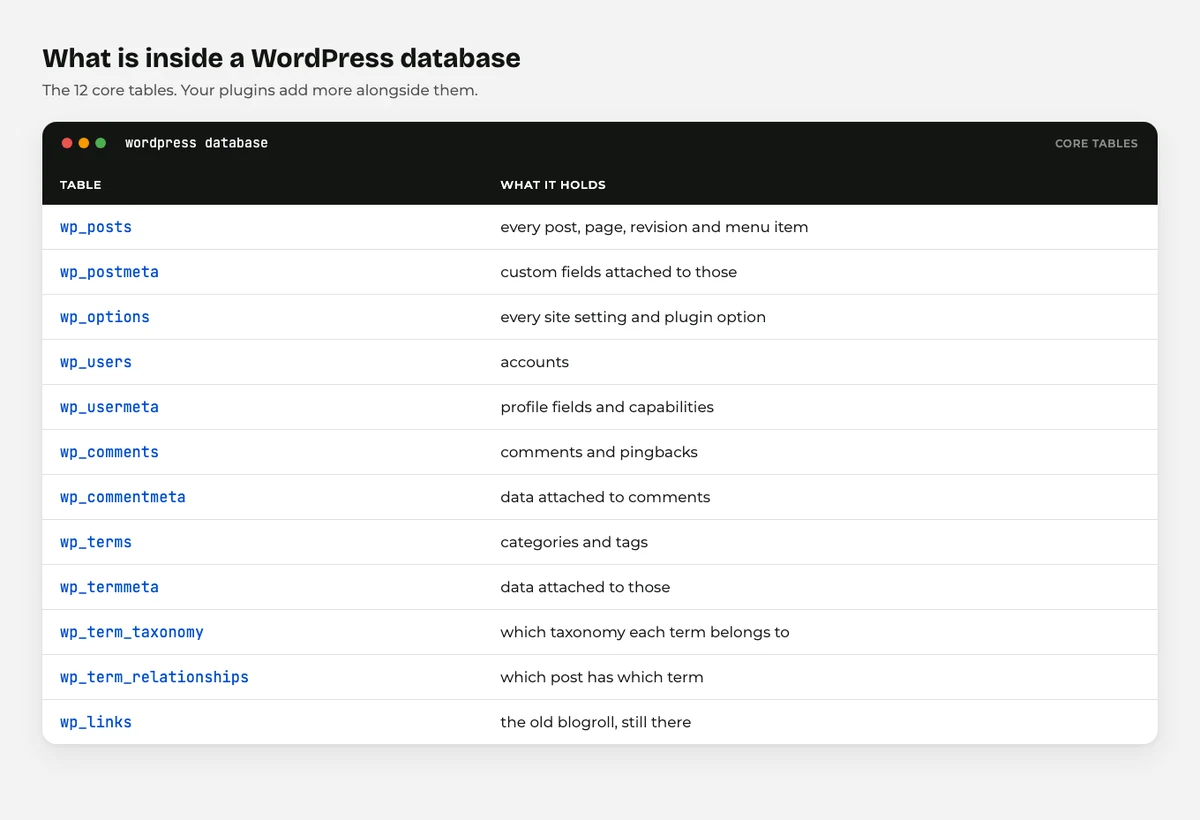
Here’s the part most beginners never get told.
Your WordPress site lives in two places, not one.
Your files are the theme, the plugins, and everything you have uploaded. They sit in folders on your host.
Your database is everything you typed. Posts, pages, comments, users, settings, and all your plugin options.
Your images are files.
The post that displays them is a database row.
That split explains a lot. It’s why restoring only a .sql file gives you a site with all your writing and no pictures.
The tables inside usually start with wp_, and the important ones are easy to guess: wp_posts, wp_users, wp_comments, wp_options.
How Is a WordPress SQL File Made?
Three ways, and you have probably used the first without noticing.
Your backup plugin makes one. Every decent backup plugin exports the database as SQL and bundles it with your files.
That’s the whole backup.
Your host makes one. Most control panels have a database section with an Export button.
One click and the .sql file downloads.
phpMyAdmin makes one. This is the classic route. Open phpMyAdmin from your hosting panel, pick your database, click Export, and choose Quick.
All three produce the same kind of file. Pick whichever your host makes easiest.
What Is a SQL File For?
It exists so a database can be packed up and moved.
So why not just copy the database folder? Because a database runs inside a database server, not as a folder you can drag.
The .sql file solves that. It flattens a live database into plain text that any MySQL server can read back.
That gives you three things: a real backup, a way to move hosts, and a way to copy a live site to a test site.
When Will You Actually Need One?
So when does this actually matter? Four situations, and hopefully only the first two.
Restoring after something broke. A bad plugin update wrecked your settings and you need yesterday’s database back.
Moving to a new host. You export the database and the files from the old host, import both at the new one.
Making a staging copy. Duplicate the site privately so you can test a redesign without touching the live one.
Fixing a locked out login. When wp-admin will not let you in, changing a database value is sometimes the only way back.
For anything routine, a backup plugin handles all of this for you. Our guide on how to back up your WordPress site covers the setup.
Why Can’t You Upload a SQL File to WordPress?
Because WordPress refuses it, and thank goodness it does.
.sql is not on core’s list of allowed upload types, so the Media Library rejects it. That is exactly the right behaviour.
Think about what that file contains. Every user account, every setting, sometimes customer details. A public folder is the last place it belongs.
You import a .sql file through phpMyAdmin or your host’s database tool. Never through WordPress.
What Goes Wrong With SQL Files
Four things, and all four are recoverable.
The file is too big to import. phpMyAdmin often caps uploads at 50MB. Ask your host to run the import for you, or use their command line tool.
The URLs are still pointing at the old site. Move a database to a new domain and every link inside it still names the old one. A search and replace tool fixes it, and most migration plugins do it automatically.
The table prefix doesn’t match. If the new site uses a different prefix from wp_, WordPress won’t find its own tables. The prefix is set in wp-config.php, documented in the WordPress wp-config guide.
You restored the database but not the files. All your posts come back with no theme and no images, because those were never in the database.
Final Thoughts
A .sql file is your database written down as instructions. Half your website, in one text file.
The single most useful thing to remember: your site is files plus database. A backup that only has one of them is not a backup.
You will probably never open one.
You just need to know it exists, and that your backup plugin is making it.
For the bigger picture, our guide to WordPress file types covers every file on your site, what is an XML file explains the content export people confuse with a backup, and how to edit WordPress files safely covers getting in without breaking anything.
Over to you: have you ever had to restore a database? Tell me how it went in the comments.
Frequently Asked Questions
How do I open a WordPress SQL file?
Any text editor will open it, though large ones may be slow. You don’t normally need to read one, because it is meant to be imported rather than edited.
Is a SQL file the same as a WordPress backup?
It is half of one. A complete backup needs your .sql database export plus your files, which include the theme, plugins, and uploads.
How do I import a WordPress SQL file?
Use phpMyAdmin or your host’s database tool, select the database, choose Import, and upload the file. If it is too large, ask your host to import it for you.
Can I upload a SQL file to the Media Library?
No, and you should not want to. WordPress blocks the file type because a database export can contain user accounts and private settings.
What is the wp_ prefix in my database?
It is the naming prefix on every WordPress table, set in wp-config.php. Some installs change it, which is why a restored database sometimes cannot find its tables.
Why are my images missing after restoring a database?
Because images are files, not database rows. Restoring only the database brings back the posts, but the uploads folder has to be restored separately.
Do I need to know SQL to run a WordPress site?
Not at all. A backup plugin handles the database for you, and most site owners never open a .sql file in their lives.
You May Also Like
-

What Is Web Hosting
Want a website but have no idea where it actually… -
WordPress File Types Explained
Your WordPress site is made of files. Dozens of them,… -
What Is a JSON File?
You clicked a download button, and out came a file…